
Corporate signature for e-mails
Setup instructions for GMail
1. Select and copy the signature below:
Role / Function
Alpina Watches
Route de la Galaise, 8
CH-1228 Plan-les-Ouates
Switzerland
T: Telephone | F: Fax




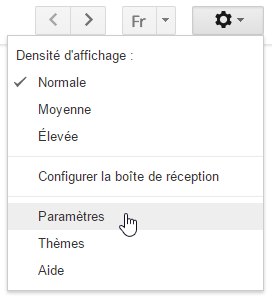
2. Go to your GMail account and open the parameters:
3. Scroll down to the Signature parameter and paste the signature:
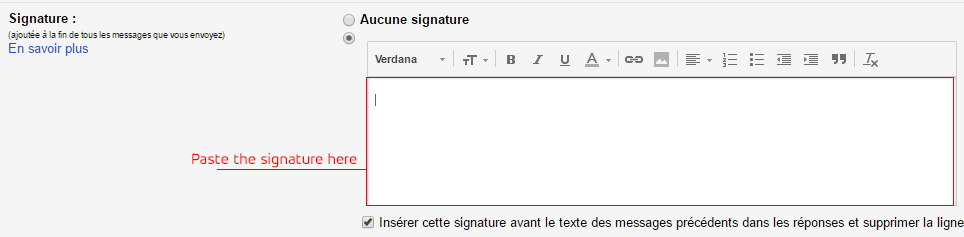
4. Modify the signature text to match your Complete Name, role/function, address, number, zip code, state, country, telephone and fax.
5. Don't forget to click the button to save the modification at the end!

Setup instructions for other email softwares
1. Copy the following code:
2. Please change (Complete Name, CHARGE, ADDRESS, NUMBER, ZIP CODE, STATE, COUNTRY, TELEPHONE and FAX) with your personal details.
3. Paste in your favorite Email reader. (Remember to enable HTML code in your signature).